npm i -g @openai/codex
or brew install --cask codex
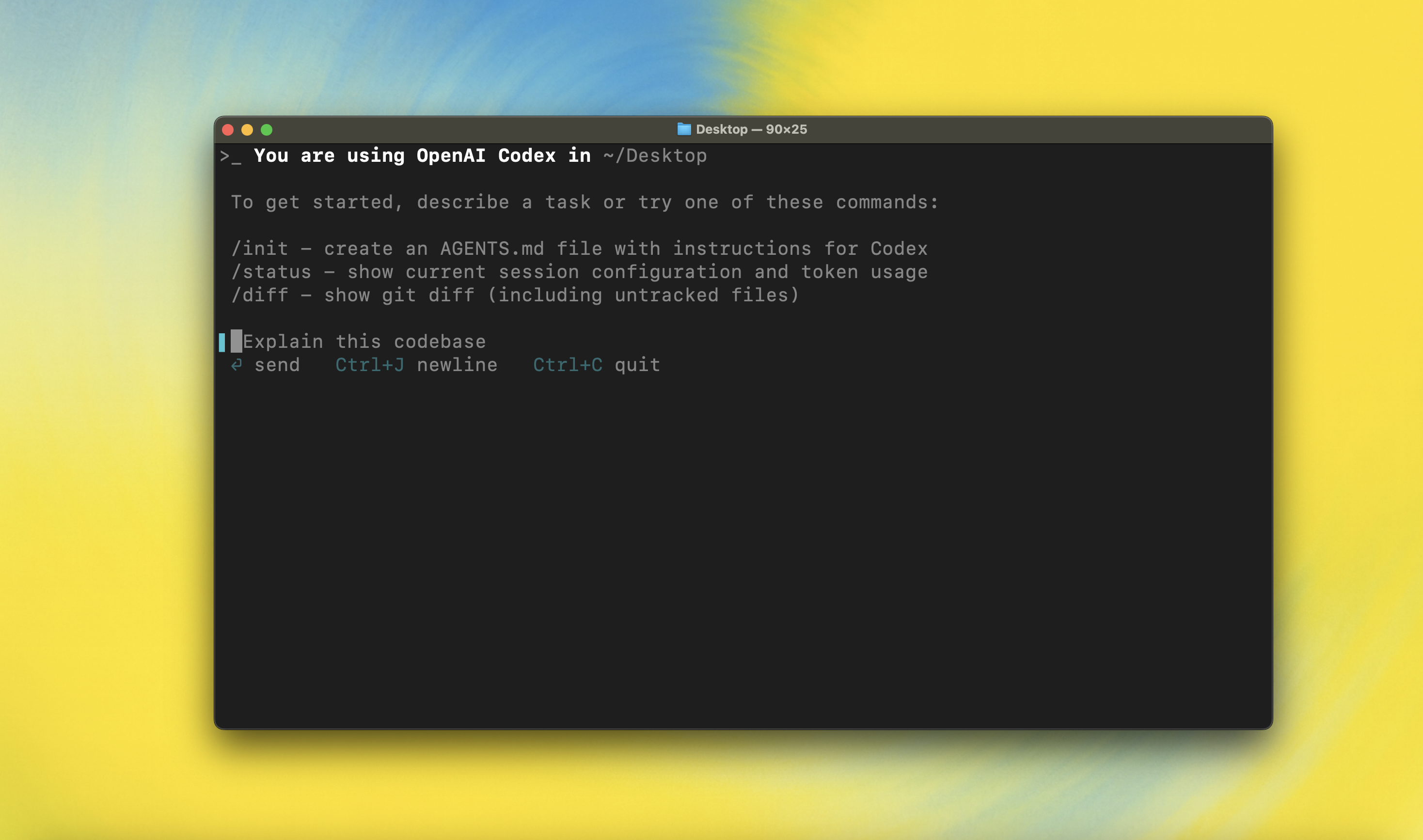
Codex CLI is a coding agent from OpenAI that runs locally on your computer.
If you want Codex in your code editor (VS Code, Cursor, Windsurf), install in your IDE
If you are looking for the cloud-based agent from OpenAI, Codex Web, go to chatgpt.com/codex
---
## Quickstart
### Installing and running Codex CLI
Install globally with your preferred package manager. If you use npm:
```shell
npm install -g @openai/codex
```
Alternatively, if you use Homebrew:
```shell
brew install --cask codex
```
Then simply run `codex` to get started:
```shell
codex
```
If you're running into upgrade issues with Homebrew, see the [FAQ entry on brew upgrade codex](./docs/faq.md#brew-upgrade-codex-isnt-upgrading-me).
You can also go to the latest GitHub Release and download the appropriate binary for your platform.
Each GitHub Release contains many executables, but in practice, you likely want one of these:
- macOS
- Apple Silicon/arm64: `codex-aarch64-apple-darwin.tar.gz`
- x86_64 (older Mac hardware): `codex-x86_64-apple-darwin.tar.gz`
- Linux
- x86_64: `codex-x86_64-unknown-linux-musl.tar.gz`
- arm64: `codex-aarch64-unknown-linux-musl.tar.gz`
Each archive contains a single entry with the platform baked into the name (e.g., `codex-x86_64-unknown-linux-musl`), so you likely want to rename it to `codex` after extracting it.
### Using Codex with your ChatGPT plan
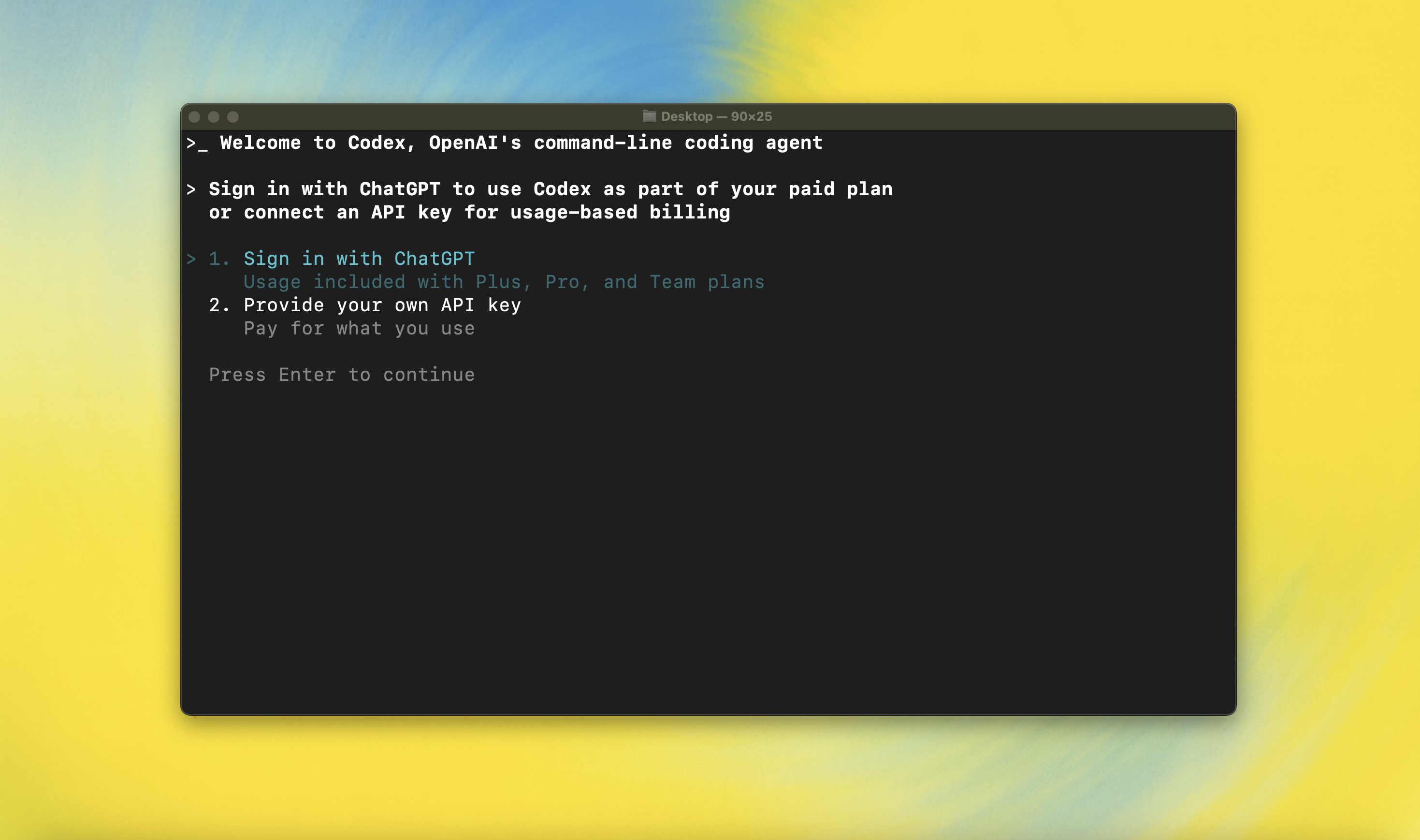
Run `codex` and select **Sign in with ChatGPT**. We recommend signing into your ChatGPT account to use Codex as part of your Plus, Pro, Team, Edu, or Enterprise plan. [Learn more about what's included in your ChatGPT plan](https://help.openai.com/en/articles/11369540-codex-in-chatgpt).
You can also use Codex with an API key, but this requires [additional setup](./docs/authentication.md#usage-based-billing-alternative-use-an-openai-api-key). If you previously used an API key for usage-based billing, see the [migration steps](./docs/authentication.md#migrating-from-usage-based-billing-api-key). If you're having trouble with login, please comment on [this issue](https://github.com/openai/codex/issues/1243).
### Model Context Protocol (MCP)
Codex can access MCP servers. To configure them, refer to the [config docs](./docs/config.md#mcp_servers).
### Configuration
Codex CLI supports a rich set of configuration options, with preferences stored in `~/.codex/config.toml`. For full configuration options, see [Configuration](./docs/config.md).
### Execpolicy Quickstart
Codex can enforce your own rules-based execution policy before it runs shell commands.
1. Create a policy directory: `mkdir -p ~/.codex/policy`.
2. Create one or more `.codexpolicy` files in that folder. Codex automatically loads every `.codexpolicy` file in there on startup.
3. Write `prefix_rule` entries to describe the commands you want to allow, prompt, or block:
```starlark
prefix_rule(
pattern = ["git", ["push", "fetch"]],
decision = "prompt", # allow | prompt | forbidden
match = [["git", "push", "origin", "main"]], # examples that must match
not_match = [["git", "status"]], # examples that must not match
)
```
- `pattern` is a list of shell tokens, evaluated from left to right; wrap tokens in a nested list to express alternatives (e.g., match both `push` and `fetch`).
- `decision` sets the severity; Codex picks the strictest decision when multiple rules match (forbidden > prompt > allow).
- `match` and `not_match` act as (optional) unit tests. Codex validates them when it loads your policy, so you get feedback if an example has unexpected behavior.
In this example rule, if Codex wants to run commands with the prefix `git push` or `git fetch`, it will first ask for user approval.
Use the `codex execpolicy check` subcommand to preview decisions before you save a rule (see the [`codex-execpolicy` README](./codex-rs/execpolicy/README.md) for syntax details):
```shell
codex execpolicy check --policy ~/.codex/policy/default.codexpolicy git push origin main
```
Pass multiple `--policy` flags to test how several files combine, and use `--pretty` for formatted JSON output. See the [`codex-rs/execpolicy` README](./codex-rs/execpolicy/README.md) for a more detailed walkthrough of the available syntax.
## Note: `execpolicy` commands are still in preview. The API may have breaking changes in the future.
### Docs & FAQ
- [**Getting started**](./docs/getting-started.md)
- [CLI usage](./docs/getting-started.md#cli-usage)
- [Slash Commands](./docs/slash_commands.md)
- [Running with a prompt as input](./docs/getting-started.md#running-with-a-prompt-as-input)
- [Example prompts](./docs/getting-started.md#example-prompts)
- [Custom prompts](./docs/prompts.md)
- [Memory with AGENTS.md](./docs/getting-started.md#memory-with-agentsmd)
- [**Configuration**](./docs/config.md)
- [Example config](./docs/example-config.md)
- [**Sandbox & approvals**](./docs/sandbox.md)
- [**Authentication**](./docs/authentication.md)
- [Auth methods](./docs/authentication.md#forcing-a-specific-auth-method-advanced)
- [Login on a "Headless" machine](./docs/authentication.md#connecting-on-a-headless-machine)
- **Automating Codex**
- [GitHub Action](https://github.com/openai/codex-action)
- [TypeScript SDK](./sdk/typescript/README.md)
- [Non-interactive mode (`codex exec`)](./docs/exec.md)
- [**Advanced**](./docs/advanced.md)
- [Tracing / verbose logging](./docs/advanced.md#tracing--verbose-logging)
- [Model Context Protocol (MCP)](./docs/advanced.md#model-context-protocol-mcp)
- [**Zero data retention (ZDR)**](./docs/zdr.md)
- [**Contributing**](./docs/contributing.md)
- [**Install & build**](./docs/install.md)
- [System Requirements](./docs/install.md#system-requirements)
- [DotSlash](./docs/install.md#dotslash)
- [Build from source](./docs/install.md#build-from-source)
- [**FAQ**](./docs/faq.md)
- [**Open source fund**](./docs/open-source-fund.md)
---
## License
This repository is licensed under the [Apache-2.0 License](LICENSE).